Introduction
Terminal-native AI research agent with grounded sources and verified claims.
Scira is a terminal-native AI research and coding agent. Ask a question and get a report with cited sources and verified claims, all stored locally under .scira/runs/. It also reads, edits, and runs code in your project, and asks before it changes anything.
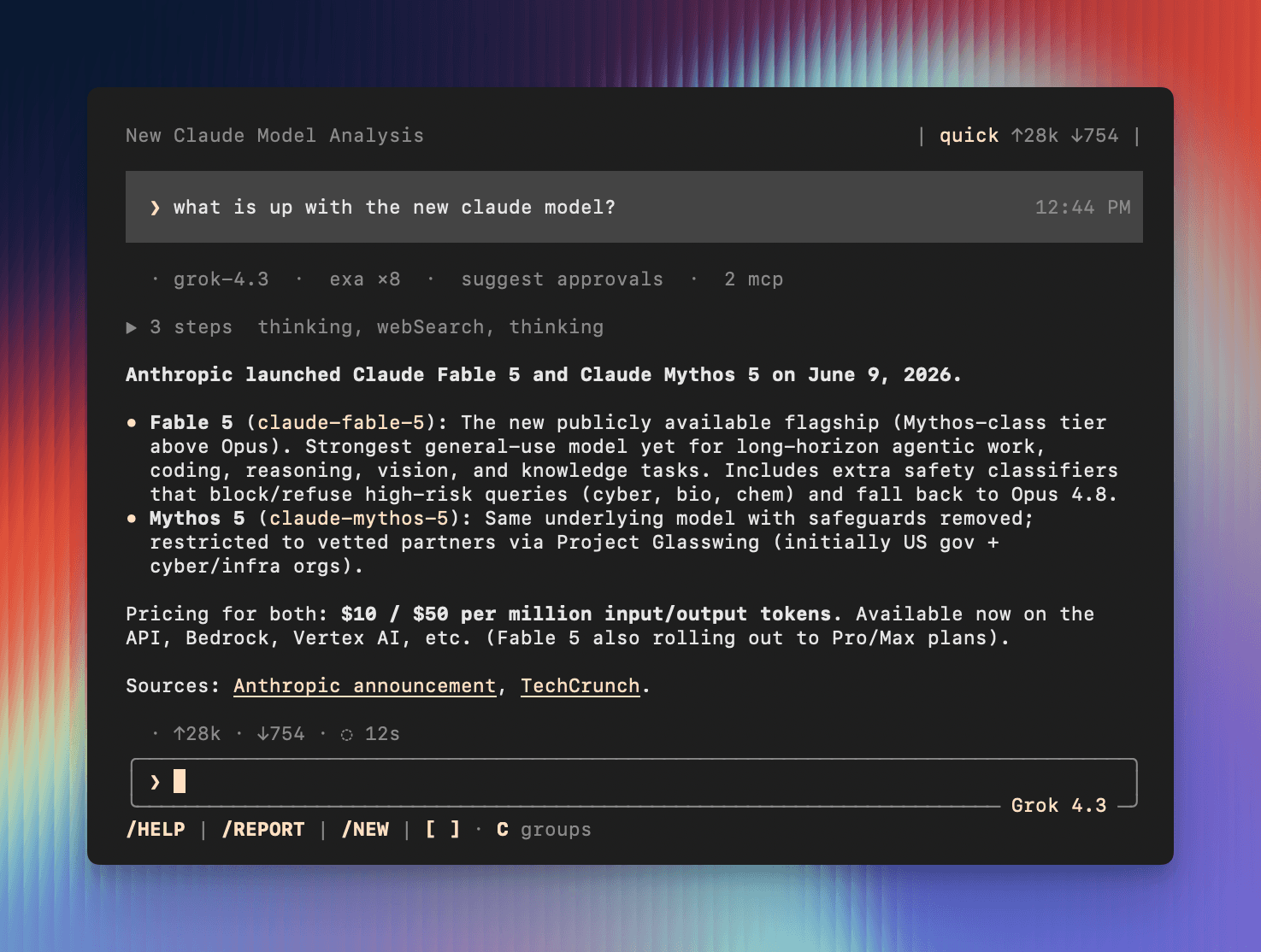
What you get
- Grounded research — web search via Exa, Parallel, or Firecrawl before generating a single sentence
- Verified claims — every factual statement traced to a source URL you can open
- Local runs — every run writes
plan.md,sources.jsonl,claims.jsonl, andreport.mdyou can inspect - Interactive TUI — Ink-based terminal UI with session history, tool output, and slash commands
- Headless mode — pipe a question in, get a report out, no interaction needed
- MCP support — plug in Exa, Chrome DevTools, and custom MCP servers
- Any model — Vercel AI Gateway, xAI (Grok), Cloudflare Workers AI, or Hugging Face
- Plan-then-execute — agent writes a research plan before gathering sources; inspect or edit it at any time
How it works
Plan — Scira reads your question and writes a plan.md with specific research questions and a search strategy.
Gather — webSearch queries your chosen search provider. readUrl fetches and extracts the content of each page. Raw content is saved to snapshots/.
Claims — factual statements are extracted and written to claims.jsonl with citation status and a source URL.
Report — Scira synthesizes a structured report.md with inline citations. Every claim links back to a source you can verify.
Quick start
❯ npm install -g @scira/cli
❯ scira init
❯ scira doctor
❯ scira
Installation
Install Scira and verify your environment.
API keys
Get and save LLM and search provider credentials.
Commands
Full CLI and TUI command reference.
The TUI
The interactive interface — input, mentions, and keyboard control.
Configuration
Global and project config, providers, and MCP servers.
Run directory
What Scira writes to disk and how to inspect it.
Contributing
Set up a dev environment and send a pull request.